Personal Access Tokens
Personal Access Tokens (PATs) allow scripts, CI/CD pipelines, and backend services to manage App Upgrade versions without using your account password or a short-lived dashboard session.
A PAT starts with aau_ and is sent in the HTTP Authorization header:
Authorization: Bearer aau_your_personal_access_token
Treat a PAT like a password. Never commit it to source control, expose it in frontend code, or include it in a mobile application.
PATs and project API keys
Personal Access Tokens and project API keys serve different purposes:
| Credential | Used for | Header |
|---|---|---|
| Personal Access Token | Managing versions from trusted scripts, CI/CD, or backend services | Authorization: Bearer aau_... |
| Project API key | Checking whether a mobile app version requires an upgrade | x-api-key: ... |
Continue using the project x-api-key with the /api/v1/versions/check endpoint. Use a PAT only for authenticated version-management endpoints.
Create a token
- Sign in to the App Upgrade dashboard.
- Open Account.
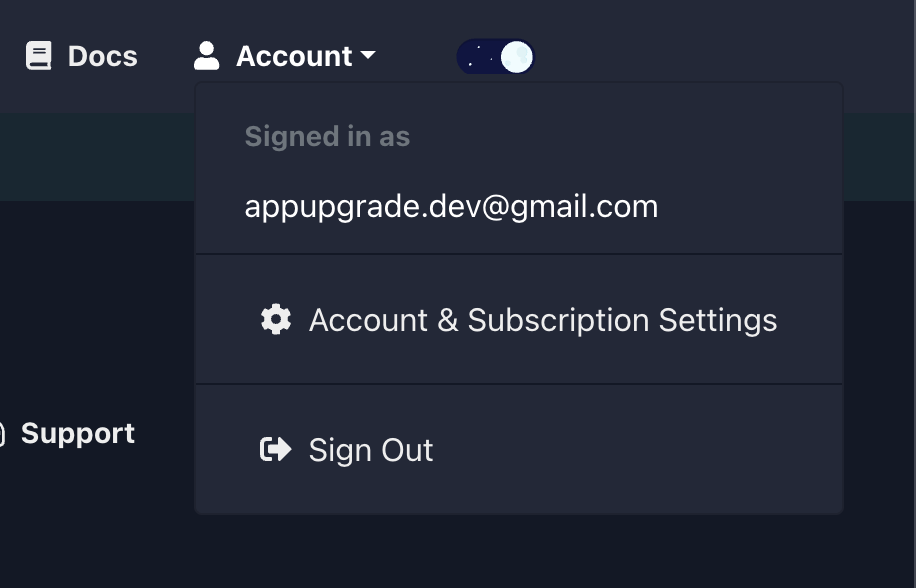
- Select Access Tokens.
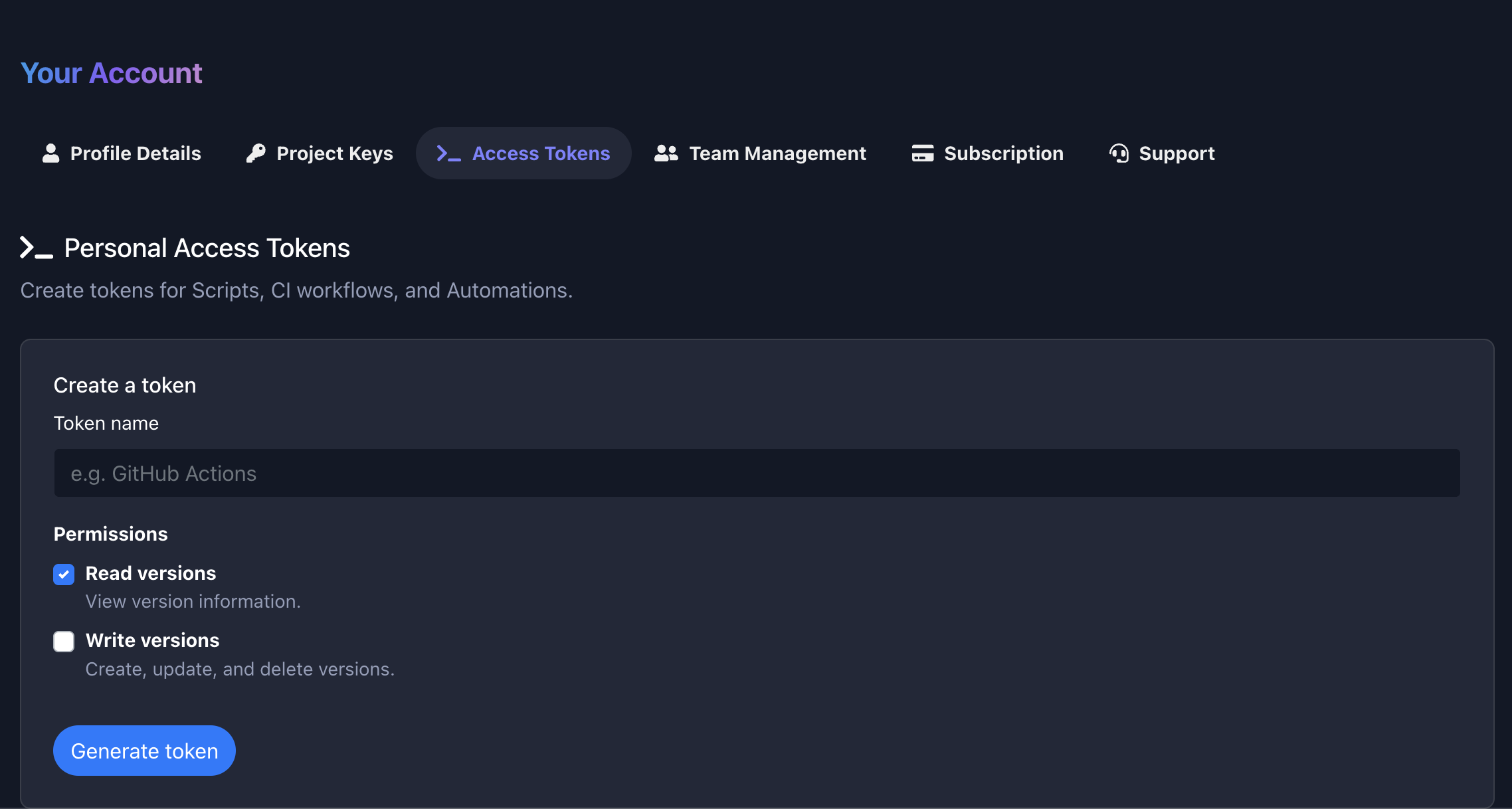
- Enter a descriptive token name, such as
GitHub Actions production. - Select the minimum permissions required by the integration.
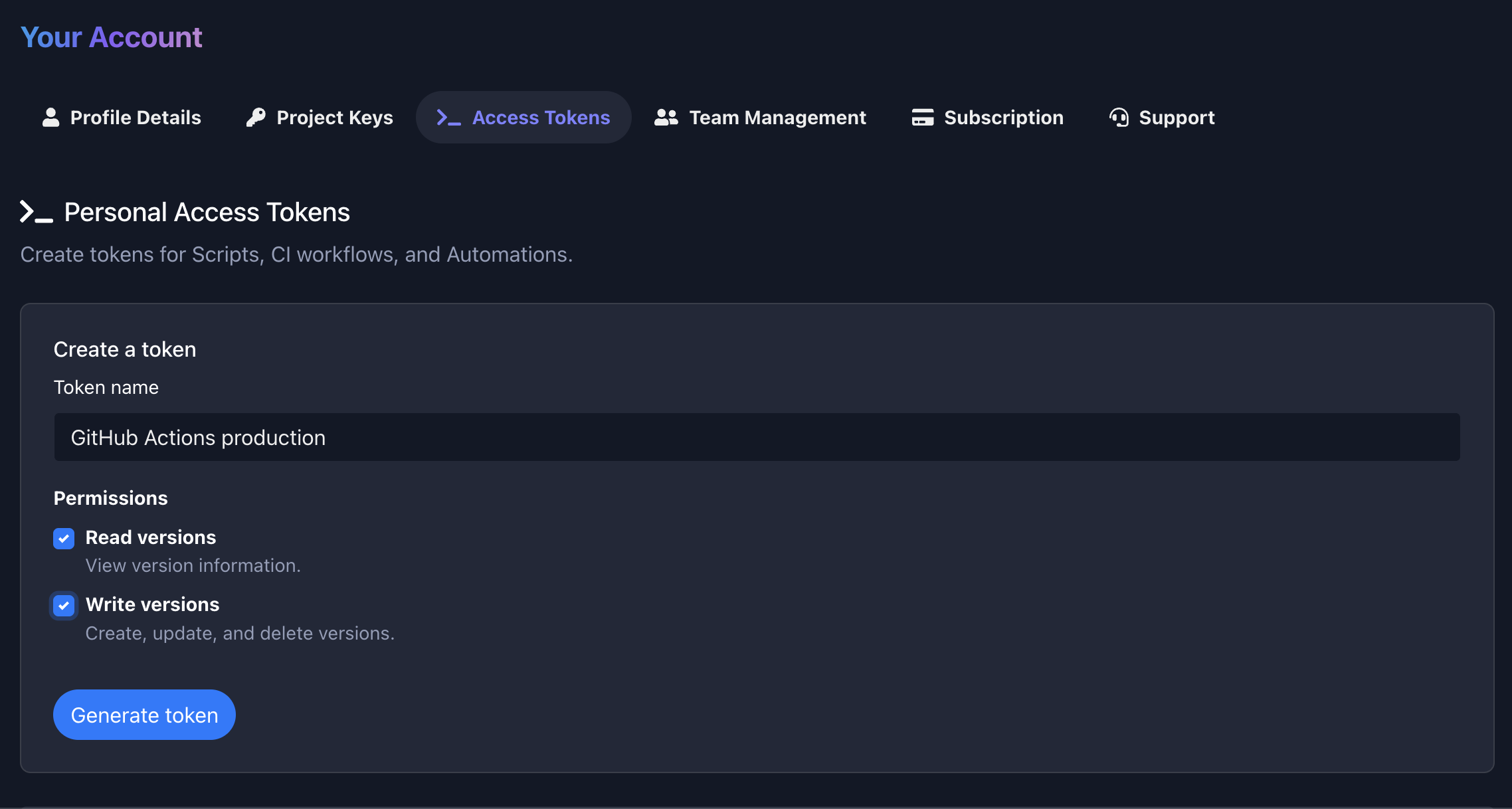
- Select Generate token.
- Copy and securely store the token immediately.
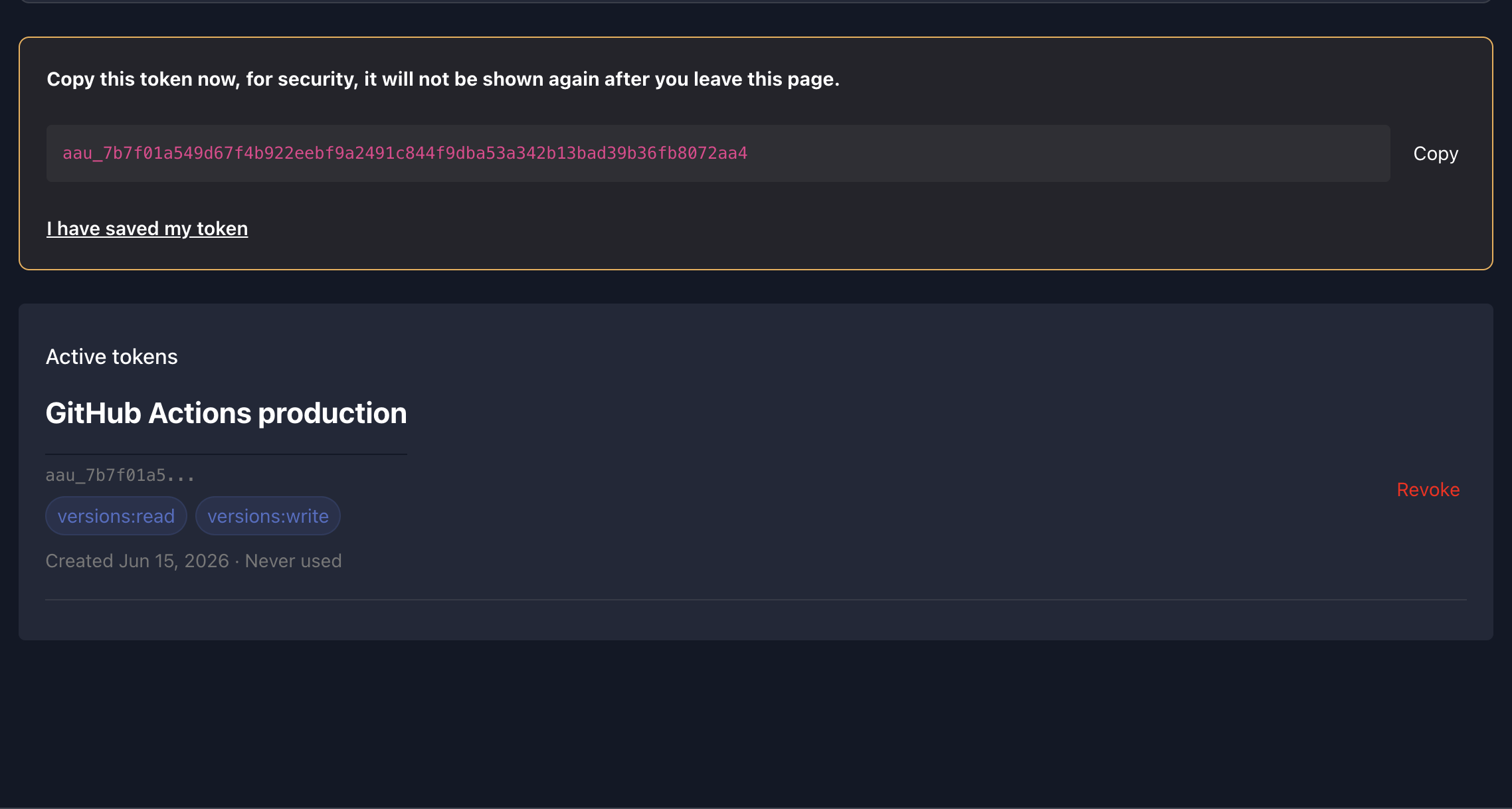
The complete token is displayed only once. App Upgrade stores a secure hash and cannot display the token again.
Permissions
Each PAT has one or more scopes:
| Scope | Allows |
|---|---|
versions:read |
List versions and retrieve a specific version |
versions:write |
Create, update, and delete versions |
Scopes are enforced per request. For example, a token with only versions:read receives 403 Forbidden when it attempts to create or update a version.
Use separate tokens for separate integrations and grant only the scopes each integration needs.
Required identifiers
Version-management requests use the following identifiers:
teamId: The team that owns the project.projectId: The project whose versions you want to manage.versionId: The version to retrieve, update, or delete.
You can obtain project and version IDs from dashboard URLs or existing API responses.
For the examples below, set environment variables in your terminal or CI secret store:
export APP_UPGRADE_TOKEN="aau_your_personal_access_token"
export APP_UPGRADE_TEAM_ID="your_team_id"
export APP_UPGRADE_PROJECT_ID="your_project_id"
List versions
Requires the versions:read scope.
curl --request GET \
  --url "https://appupgrade.dev/api/v1/projects/${APP_UPGRADE_PROJECT_ID}/versions?teamId=${APP_UPGRADE_TEAM_ID}" \
  --header "Authorization: Bearer ${APP_UPGRADE_TOKEN}" \
  --header "Content-Type: application/json"
Optional query parameters include page, limit, sortBy, name, forceUpgrade, and active.
Get a version
Requires the versions:read scope.
export APP_UPGRADE_VERSION_ID="your_version_id"

curl --request GET \
  --url "https://appupgrade.dev/api/v1/projects/${APP_UPGRADE_PROJECT_ID}/versions/${APP_UPGRADE_VERSION_ID}?teamId=${APP_UPGRADE_TEAM_ID}" \
  --header "Authorization: Bearer ${APP_UPGRADE_TOKEN}" \
  --header "Content-Type: application/json"
Create a version
Requires the versions:write scope.
curl --request POST \
  --url "https://appupgrade.dev/api/v1/projects/${APP_UPGRADE_PROJECT_ID}/versions?teamId=${APP_UPGRADE_TEAM_ID}" \
  --header "Authorization: Bearer ${APP_UPGRADE_TOKEN}" \
  --header "Content-Type: application/json" \
  --data '{
    "project": "'"${APP_UPGRADE_PROJECT_ID}"'",
    "appName": "Wallpaper App",
    "appVersion": "1.0.0",
    "platform": "android",
    "environment": "production",
    "forceUpgrade": false,
    "message": "A new version is available.",
    "active": true
  }'
The required request fields are:
projectappNameappVersionplatformenvironmentforceUpgrade
Optional fields include message, messageLocale, customAttributes, internalNotes, and active.
Update a version
Requires the versions:write scope.
curl --request PATCH \
  --url "https://appupgrade.dev/api/v1/projects/${APP_UPGRADE_PROJECT_ID}/versions/${APP_UPGRADE_VERSION_ID}?teamId=${APP_UPGRADE_TEAM_ID}" \
  --header "Authorization: Bearer ${APP_UPGRADE_TOKEN}" \
  --header "Content-Type: application/json" \
  --data '{
    "appName": "Wallpaper App",
    "appVersion": "1.0.0",
    "platform": "android",
    "environment": "production",
    "forceUpgrade": true,
    "message": "Please update to continue using the app.",
    "active": true
  }'
The update endpoint expects the complete set of required version fields, not only the field being changed.
Delete a version
Requires the versions:write scope.
curl --request DELETE \
  --url "https://appupgrade.dev/api/v1/projects/${APP_UPGRADE_PROJECT_ID}/versions/${APP_UPGRADE_VERSION_ID}?teamId=${APP_UPGRADE_TEAM_ID}" \
  --header "Authorization: Bearer ${APP_UPGRADE_TOKEN}"
A successful delete returns 204 No Content.
CI/CD usage
Store the PAT in the secret manager provided by your CI/CD platform, then expose it to the job as an environment variable.
Example GitHub Actions step:
- name: Create App Upgrade version
  env:
    APP_UPGRADE_TOKEN: ${{ secrets.APP_UPGRADE_TOKEN }}
    APP_UPGRADE_TEAM_ID: ${{ secrets.APP_UPGRADE_TEAM_ID }}
    APP_UPGRADE_PROJECT_ID: ${{ secrets.APP_UPGRADE_PROJECT_ID }}
  run: |
    curl --fail-with-body --request POST \
      --url "https://appupgrade.dev/api/v1/projects/${APP_UPGRADE_PROJECT_ID}/versions?teamId=${APP_UPGRADE_TEAM_ID}" \
      --header "Authorization: Bearer ${APP_UPGRADE_TOKEN}" \
      --header "Content-Type: application/json" \
      --data '{
        "project": "'"${APP_UPGRADE_PROJECT_ID}"'",
        "appName": "Wallpaper App",
        "appVersion": "'"${GITHUB_REF_NAME}"'",
        "platform": "android",
        "environment": "production",
        "forceUpgrade": false,
        "message": "A new version is available.",
        "active": true
      }'
Adjust the version value and request body to match your release workflow.
Revoke a token
To revoke a token:
- Open Account in the App Upgrade dashboard.
- Select Access Tokens.
- Find the token.
- Select Revoke and confirm.
Revocation takes effect immediately. Requests using the revoked token return 401 Unauthorized.
Security recommendations
- Store PATs only in a trusted secret manager.
- Never place PATs in browser JavaScript, mobile app code, logs, screenshots, or support messages.
- Create separate tokens for development, staging, and production.
- Prefer
versions:readwhen an integration does not modify data. - Revoke tokens when a team member leaves or an integration is retired.
- Rotate a token immediately if it may have been exposed.
- Use descriptive names so token ownership and purpose are clear.
Troubleshooting
401 Unauthorized
The token is missing, malformed, invalid, or revoked.
- Confirm the header uses
Authorization: Bearer <token>. - Confirm the token starts with
aau_. - Check that the complete token was copied without extra spaces.
- Generate a new token if the original token was lost or revoked.
403 Forbidden
The token is valid but does not have the required scope.
- Use
versions:readfor list and get requests. - Use
versions:writefor create, update, and delete requests. - Create a replacement token with the required scopes.
404 Not Found
Confirm that teamId, projectId, and versionId are correct and belong to resources your App Upgrade account can access.
400 Bad Request
Check the JSON body and required fields. Create and update requests require appName, appVersion, platform, environment, and forceUpgrade. Create requests also require project.
results matching ""
