Introducing App Upgrade React Native SDK v2 (TypeScript Rewrite)
Introducing App Upgrade React Native SDK v2 (TypeScript Rewrite)
Keeping users on the latest version of your mobile app is important for security, stability, and feature consistency. If you're building an app with React Native, ensuring users upgrade when necessary can be challenging.
Today we are excited to announce App Upgrade React Native SDK v2 — a complete TypeScript rewrite of our SDK that provides a cleaner API, improved developer experience, and stronger type safety.
In this guide, you'll learn how to implement forced and recommended app updates in your React Native application using App Upgrade.
⚠️ Update
Looking for the previous version?
Read the App Upgrade React Native SDK v1 guide here: How to Force Users to Upgrade a React Native App
What's New in v2
Version 2 introduces several improvements:
- Fully rewritten in TypeScript
- Improved API with
AppUpgradeClient - Better type safety for React Native apps
- Improved debugging support
- Cleaner integration with modern React Native projects
Installation
Install the SDK using npm:
npm install app-upgrade-react-native-sdk
Or with yarn:
yarn add app-upgrade-react-native-sdk
For Expo projects:
npx expo install app-upgrade-react-native-sdk
Requirements
| Dependency | Minimum Version |
|---|---|
react |
>= 18.0.0 |
react-native |
>= 0.72.0 |
1. Sign up for App Upgrade
First create an account on App Upgrade.
- Sign in: https://appupgrade.dev/signin
- Sign up: https://appupgrade.dev/signup
Once logged in, you can create a project to manage app versions.
2. Create a Project
After you sign in, you will see the dashboard.
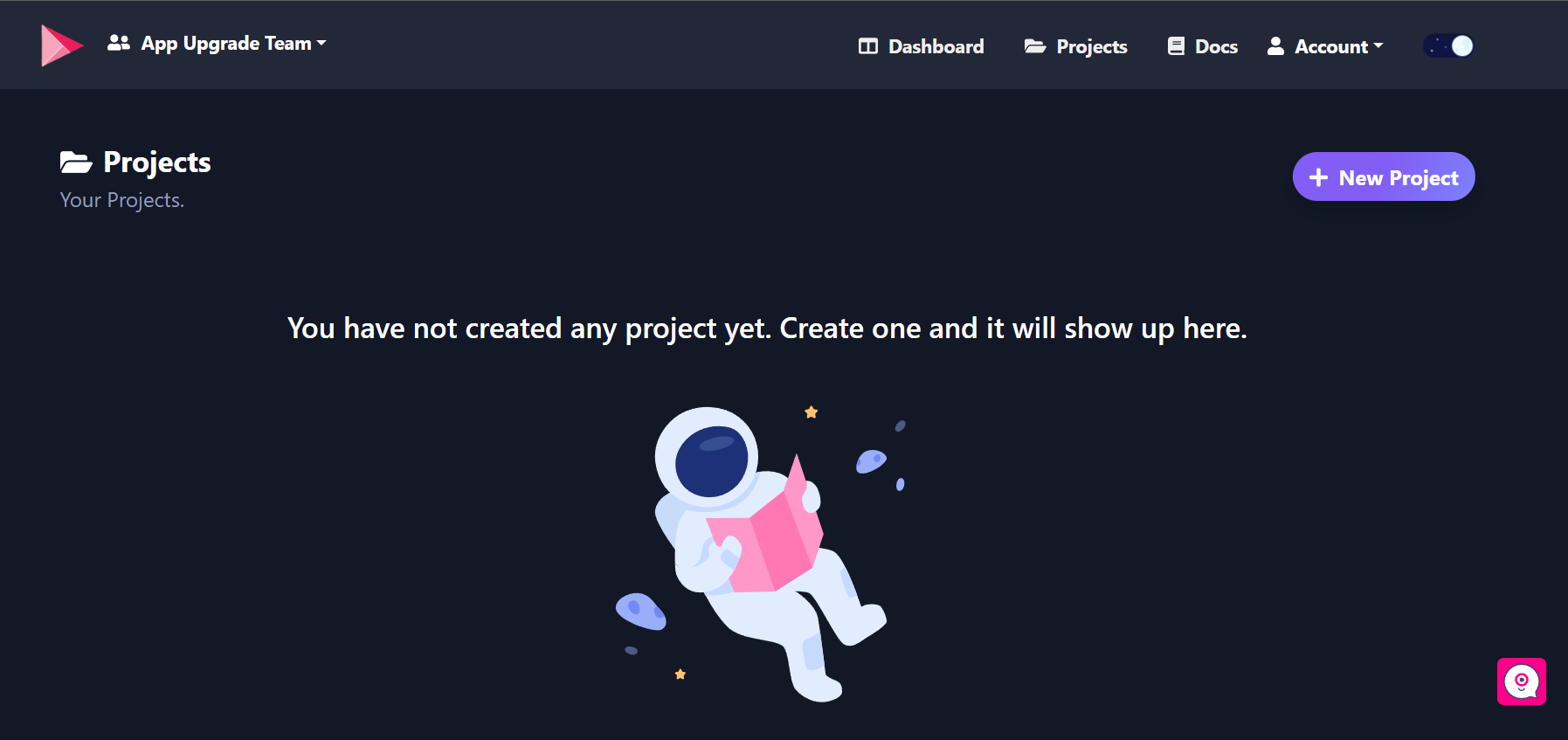
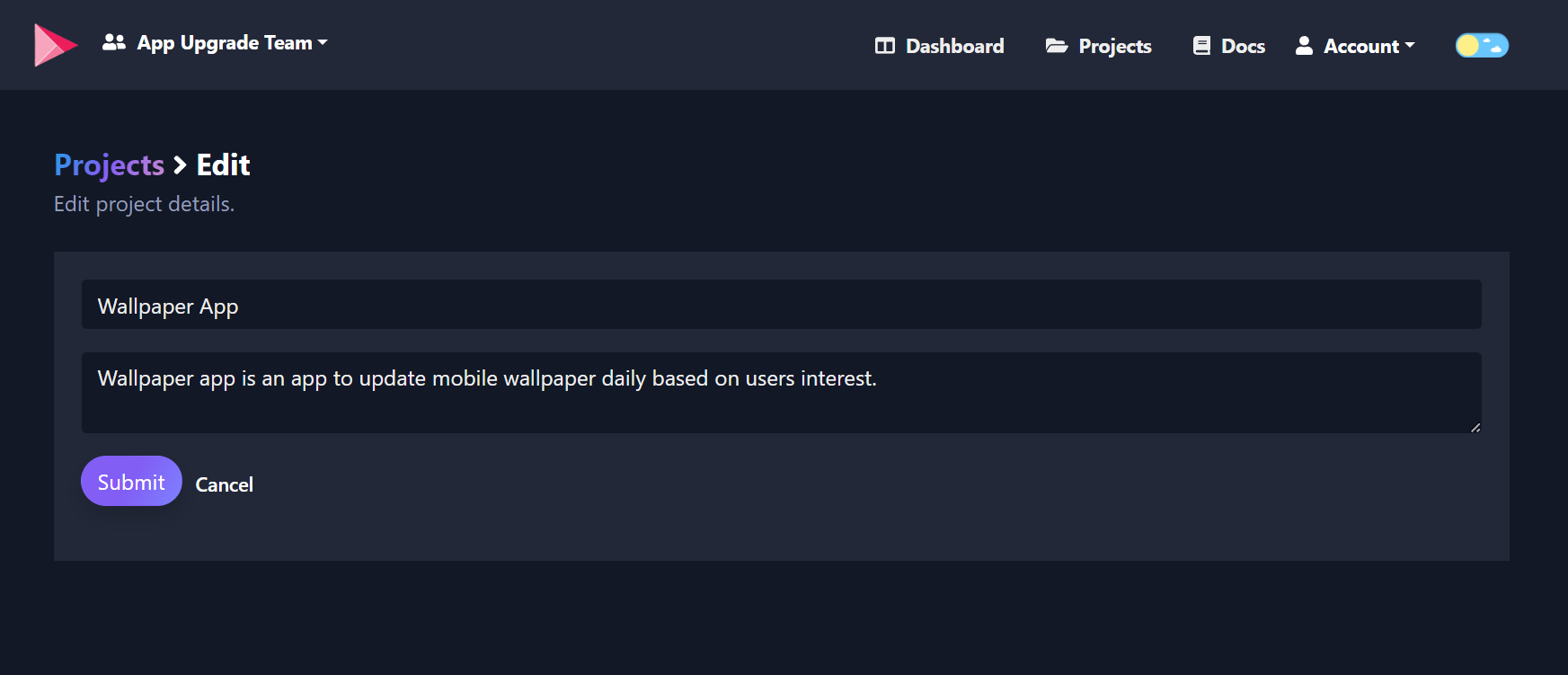
Click +New Project and provide:
- Project Name
- Description
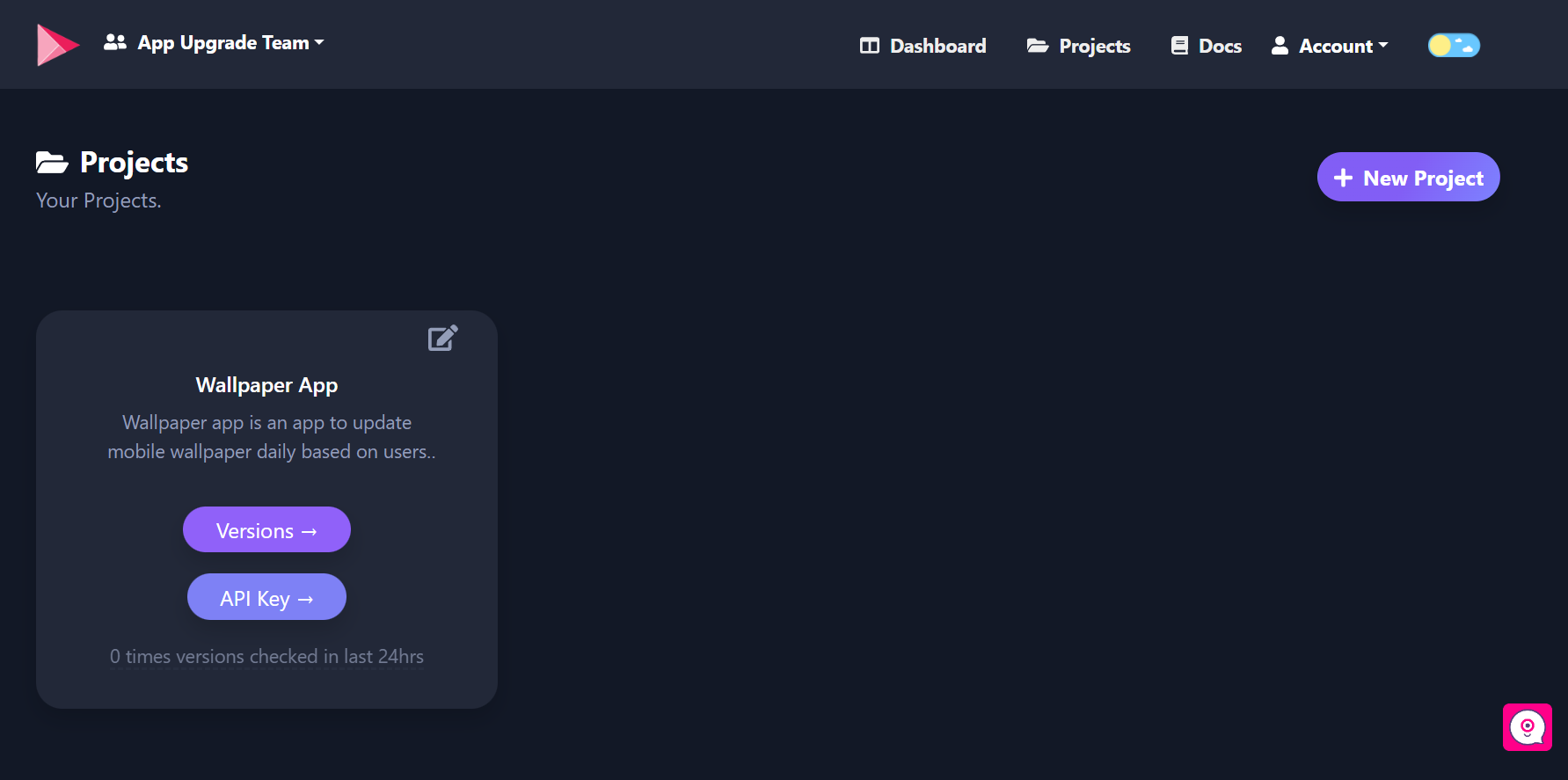
Once created, your project will appear on the dashboard.
3. Obtain the API Key
Each project has a unique API key.
Click the API Key button on your project card.
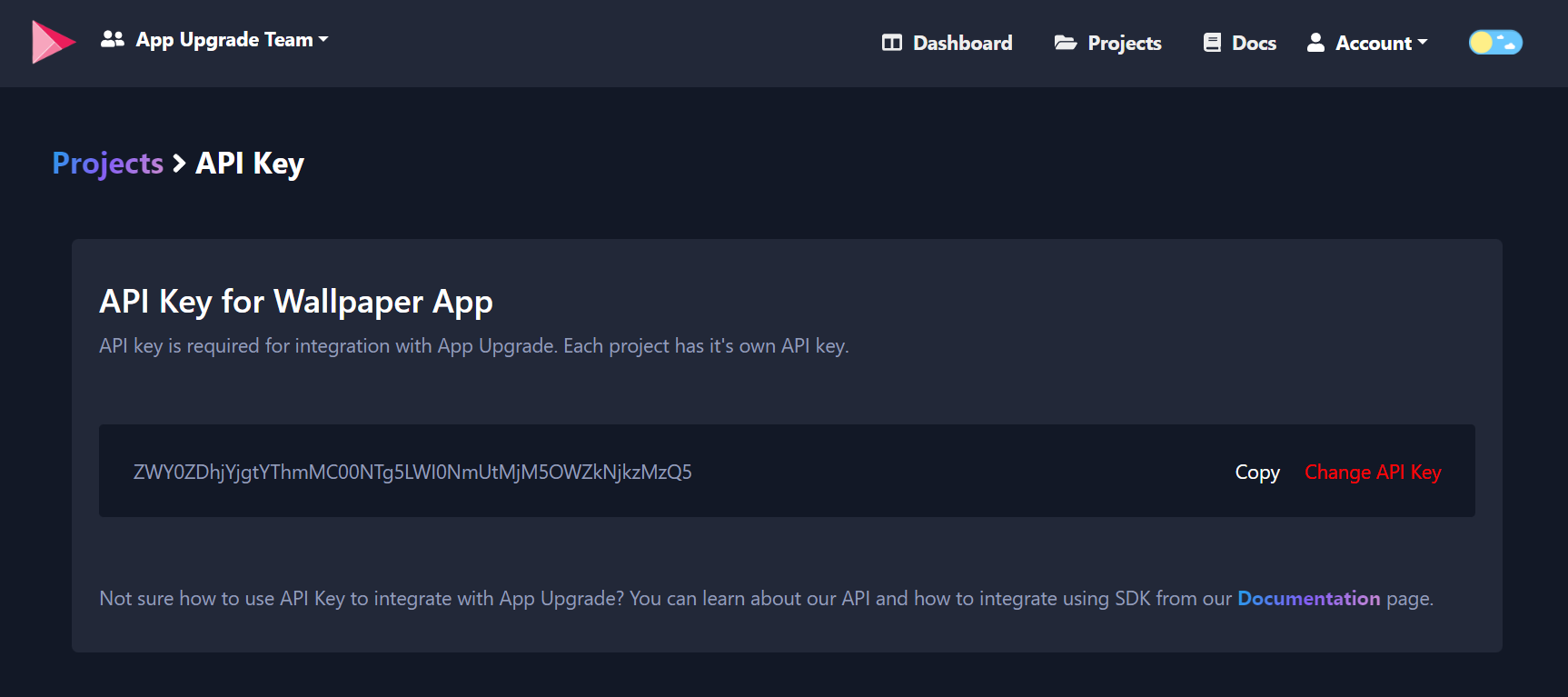
Copy the x-api-key. You'll use it when initializing the SDK.
4. Integrate the SDK
Now it's time to integrate the SDK into your React Native app.
Create the client
import { appUpgradeVersionCheck, AppUpgradeClient } from 'app-upgrade-react-native-sdk';
import type { AppInfo, AlertInfo } from 'app-upgrade-react-native-sdk';
import { Platform } from 'react-native';
import { useEffect, useMemo } from 'react';

const App = () => {

const client = useMemo(() => new AppUpgradeClient({
  apiKey: 'YOUR_API_KEY',
  debug: false
}), []);
Define app information
const appInfo: AppInfo = useMemo(() => ({
  appId: Platform.OS === 'ios'
    ? '1234567890'
    : 'com.example.myapp',

  appName: 'My App',
  appVersion: '1.0.0',
  platform: Platform.OS,
  environment: 'production',
  appLanguage: 'en',
}), []);
Configure alert dialog (optional)
const alertConfig: AlertInfo = {
  title: 'Update Available',
  updateButtonTitle: 'Update Now',
  laterButtonTitle: 'Later',
  onDismissCallback: () => console.log('Dismissed'),
  onLaterCallback: () => console.log('Later'),
  onUpdateCallback: () => console.log('Updating'),
};
Run the version check
useEffect(() => {
  appUpgradeVersionCheck(client, appInfo, alertConfig);
}, [client, appInfo]);
Tip: Run the version check inside
useEffectso it executes once when the app loads.
5. Create a Version
After integration, you need to create a version entry in App Upgrade.
Navigate to Projects → Versions → +New Version
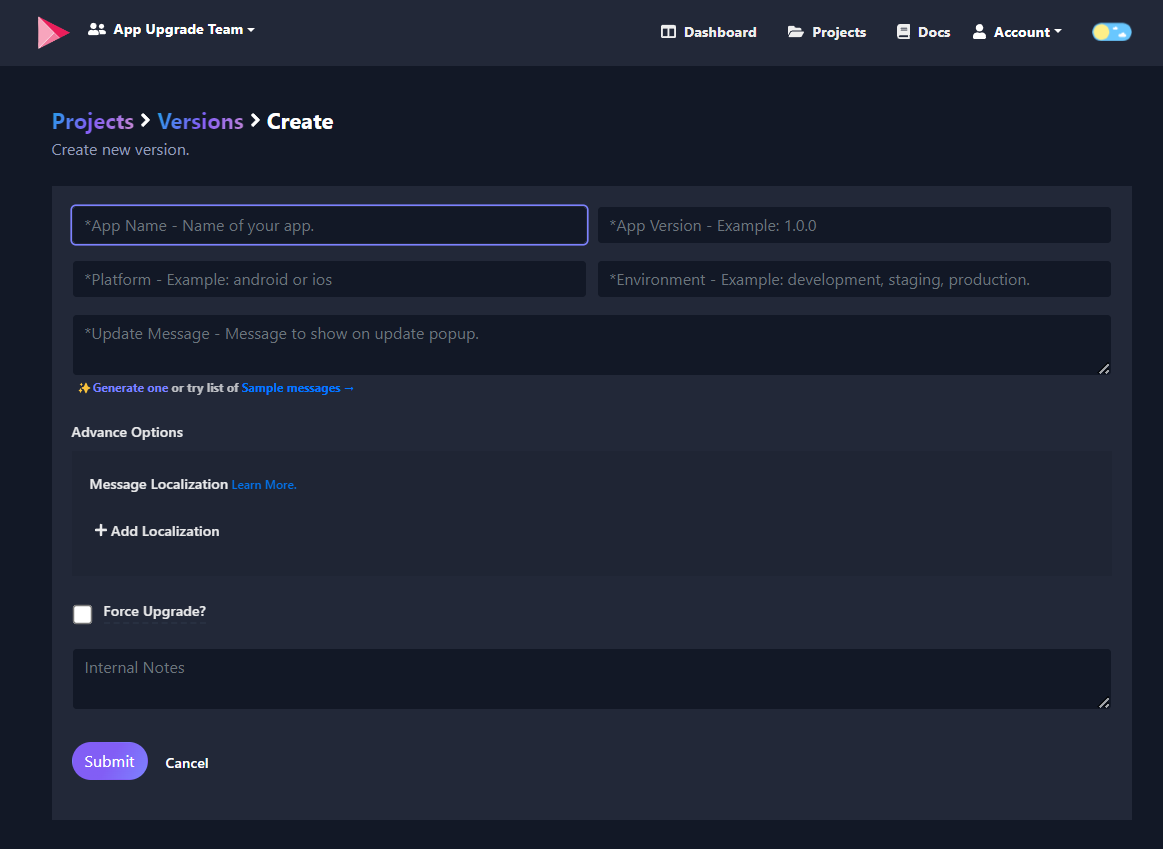
Fill the following details:
- App Name
- App Version
- Platform
- Environment
- Message (optional)
- Force Upgrade
Click Submit.
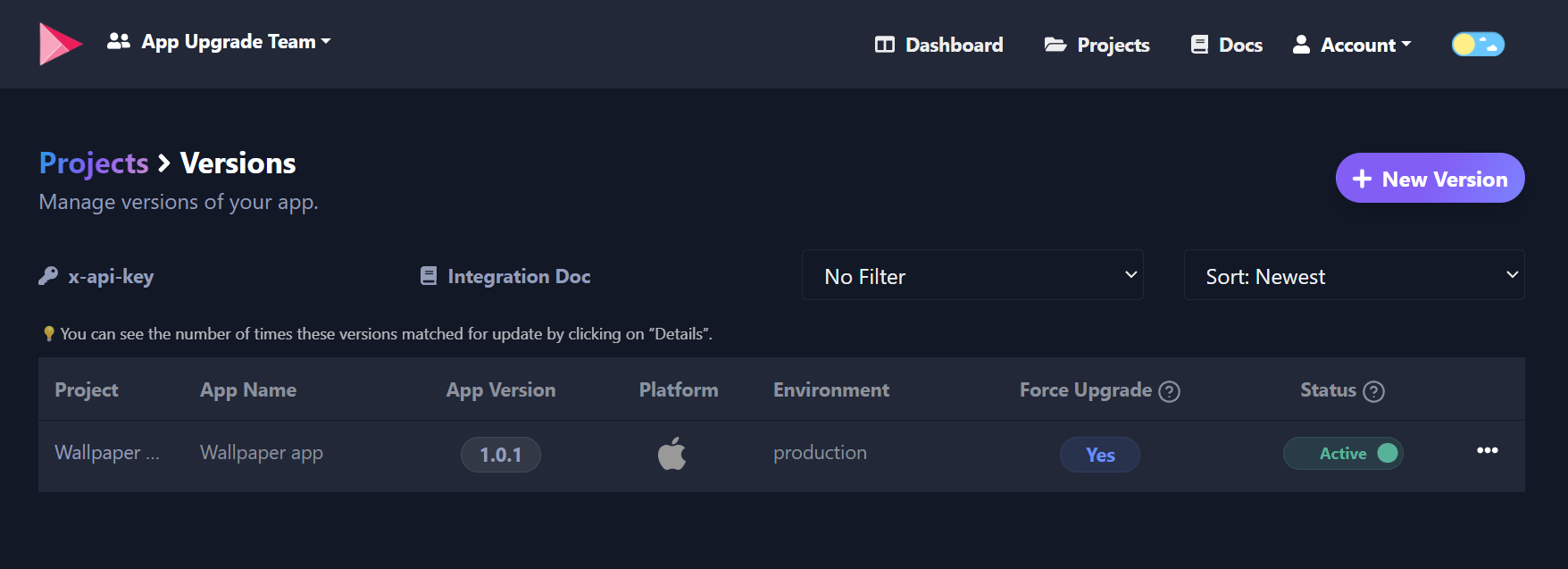
6. Testing the Integration
Restart your React Native app.
The SDK will check your app version against App Upgrade and show an upgrade dialog if an update is required.
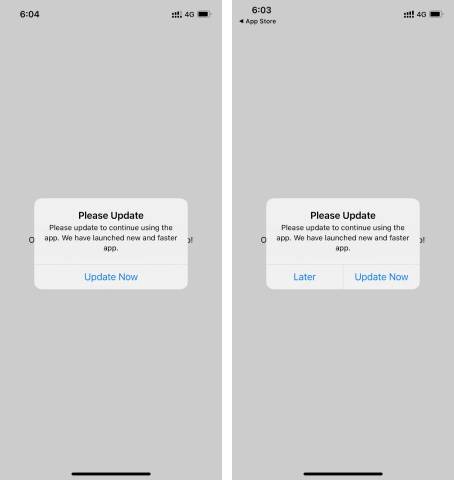
7. Upgrade Alert Popup
Depending on the configuration, users will see either:
Recommended upgrade
Users can skip the update.
Forced upgrade
Users must update the app before continuing.
Android
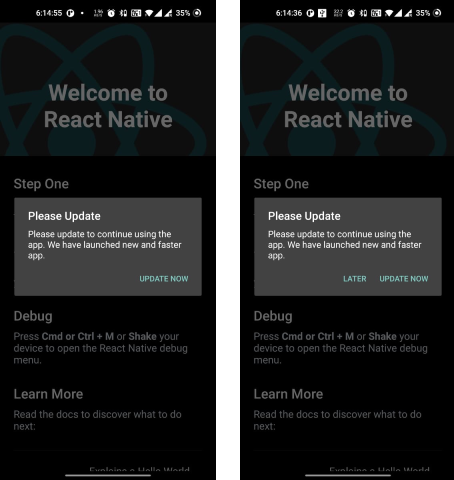
iOS
Advanced Features
The SDK also supports:
- Alternative Android stores
- Custom Android marketplace URLs
- Localized upgrade messages
- Custom attributes
- Update callbacks for analytics
For full details see the official documentation.
Conclusion
With App Upgrade React Native SDK v2, implementing forced or recommended app updates in your React Native app becomes simple and reliable.
The new TypeScript-based SDK provides:
- Better developer experience
- Improved API design
- Strong type safety
- Easier integration with modern React Native projects
Learn more at:
https://appupgrade.dev
Resources
- Documentation: https://appupgrade.dev/docs
- GitHub Demo App: https://github.com/appupgrade-dev/app_upgrade_react_native_demo_app
- npm Package: https://www.npmjs.com/package/app-upgrade-react-native-sdk
Need Help?
If you have questions:
- Email: [email protected]
- Twitter: https://twitter.com/app_upgrade
- YouTube: https://www.youtube.com/channel/UC0ZVJPYHFVuMwEsro4VZKXw
- GitHub: https://github.com/appupgrade-dev
Thanks for reading!